Nowadays, smartphones have many different apps. You can use them to buy train and plane tickets, make appointments, order a taxi or get delivery updates. People are used to opening an app and finding what they need quickly.
Event apps are no exception. Registration, event tickets, the programme, how to find your way around the site, and changes to the schedule — all of this can be put together in one interface and make things easier for the people organising the event.
In this article, we'll look at the different types of event applications, the essential functions and the development process.
The mobile event app is like a digital assistant that works for two parties at once:
Lots of different teams need these platforms. These include people who organise conferences and forums, event agencies, HR departments for corporate events, educational centres and festival organisers.
The best thing about the app is that it puts all the information in one place.
Let's imagine that the flyers have already been printed and most of the participants have them. But there is a problem with the schedule — the hall is mixed up or the time has changed. It's already impossible to fix this, and some of the guests will come to the wrong place. In the application, you can make this change in a minute, and everyone will immediately see the current version. There were no calls to the hotline, and everything was clear.
The organiser also gets data on how the audience interacts with the event, such as what they watch, where they go and what they ignore. Before, it was just not available.
Before thinking about creating your own product, it is important to understand what type of application is needed specifically for your format.
|
Application Type |
Functions |
|
Event Planners |
Budget management, team tasks, schedule, contractor control |
|
Ticket sales and registration services |
Registration of participation, online payment, QR codes for entry |
|
Networking applications |
Matchmaking, participant search, chats, contact exchange |
|
Event Aggregators |
Event catalog, filters, recommendations, ticket purchase |
|
Custom event planning application |
Event program, tickets, navigation, networking, push notifications, interactive |
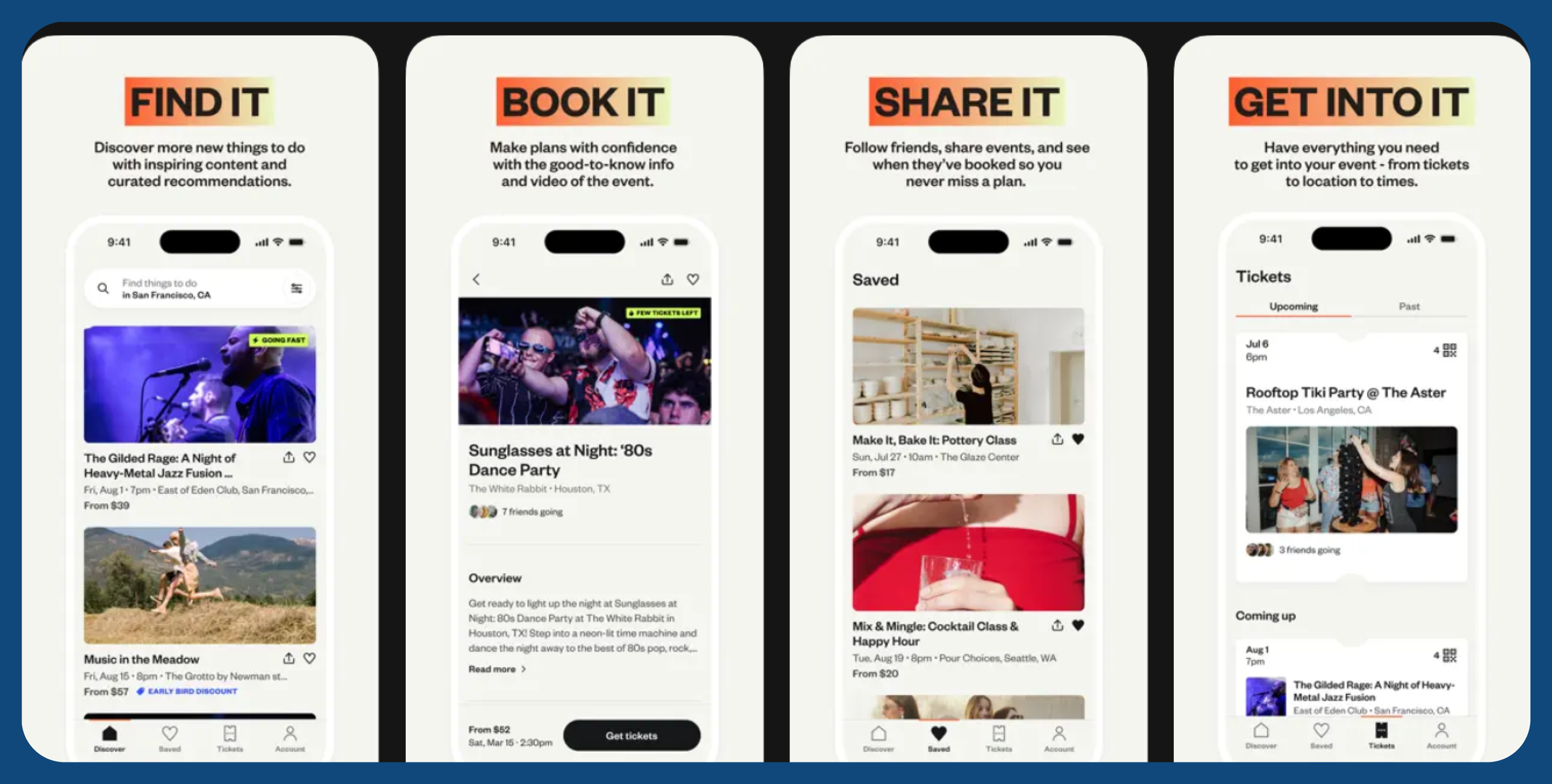
Here is an example of an event aggregator platform — Eventbrite. The mobile app helps people discover events, manage tickets, and plan their free time around the best local experiences.
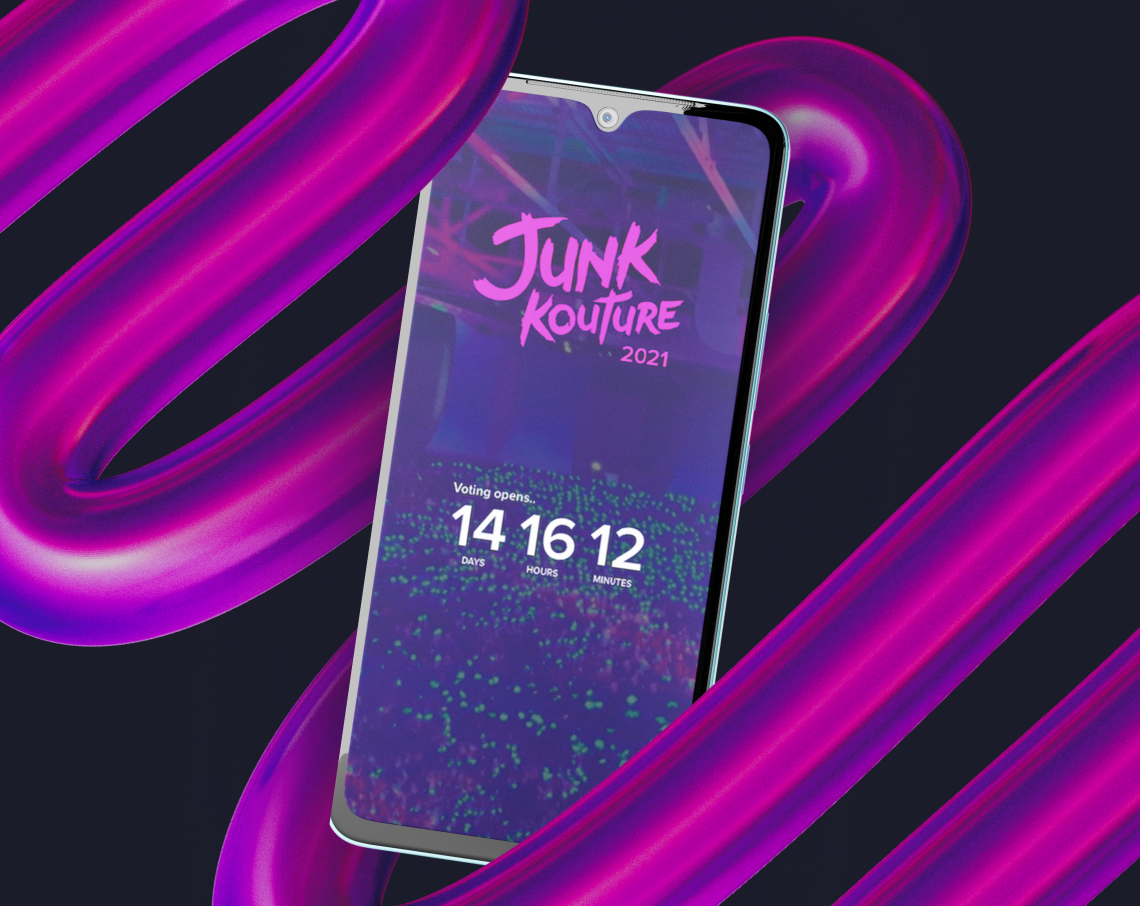
The Irish company Junk Kouture held a competition for school designers. They made clothes from recycled materials. But they accepted applications by email. As more and more people took part, it became hard to keep control. The jury was getting flooded with letters, the organisers were missing the bigger picture, and the teenagers just got bored.
We have developed a mobile application that closes all tasks at once. Participants register, form teams, attach a mentor, and apply directly through the app.
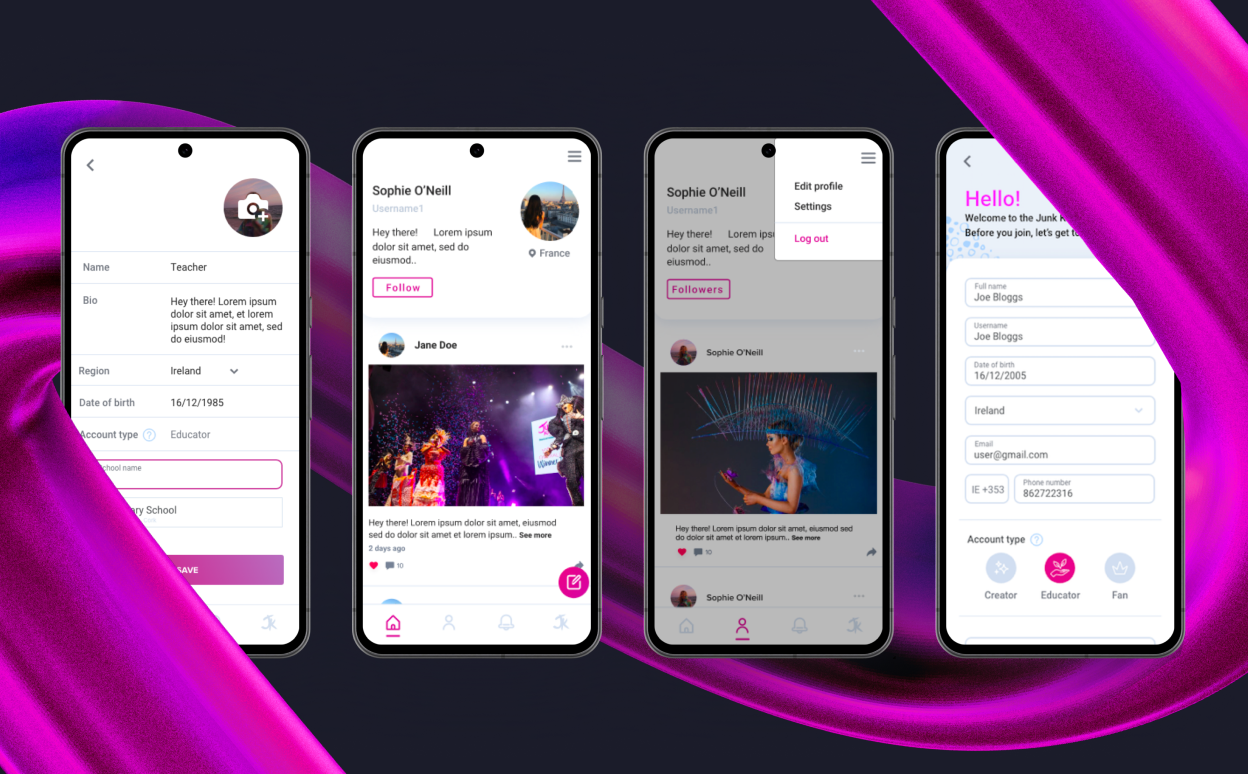
The jury can see all the applications in one place and choose the finalists with a few clicks. Social media elements have been added to encourage people to get involved: a shared feed of works, likes, comments, and fan voting in real time.
After it was launched in the UK, the competition spread to Europe, the USA and the UAE, and we added local versions for each region.

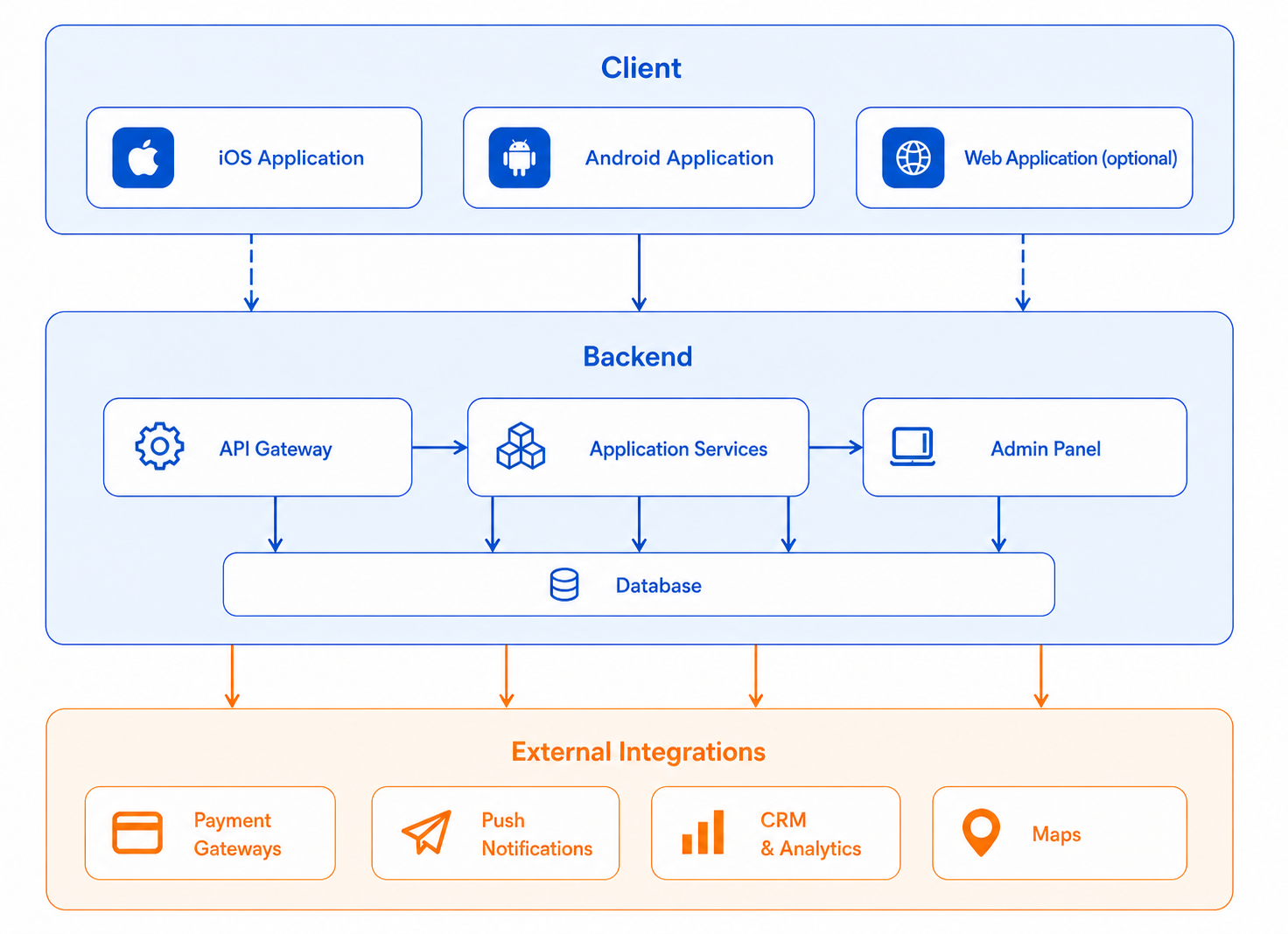
The event management application consists of three parts.
The client part is what the user sees: schedule, map, tickets, chat. It is compatible with both iOS and Android devices. If cost-effectiveness is a priority, cross-platform development on Flutter is recommended. This approach utilizes a single code base for two platforms, ensuring quality is maintained without additional expense. The estimated savings are between 30 and 40 per cent.
The backend and API represent the invisible yet crucial elements of the business. This server stores all data and processes requests. His remit includes ensuring that the schedule is displayed correctly, that tickets are sold, and that notifications are received. It is his responsibility to ensure that the application can withstand the moment when several thousand people open it at the same time at the beginning of the event. If the backend is weak, the application will go down at the most inopportune moment.
The control panel is a working tool of the organizer. They use it to change schedules, publish news, send notifications, and view analytics.
The diagram of how these components are interconnected is below.
The basic set of functions includes everything a participant needs from the first minute:
The extended stack includes features that transform the application from a reference book into a live environment for participants:
Planning
The development process begins with analytics and the preparation of technical specifications — usually 1-2 weeks.
UX design
Screen diagrams and transition logic (2-4 weeks). After that, the designers prepare the final UI for both platforms (2-3 weeks).
Development
Testing
Functional, load, and safety testing (2-4 weeks).
Publishing in the App Store and Google Play
Taking into account Apple's moderation, another 1-2 weeks.
The basic application lasts 2-3 months. A complex project with broadcasts, gamification and integrations — from 3 months.
This is the first question that any organizer has. And there is no universal answer — it all depends on the scale of the event, the budget, and how important uniqueness is.
For standard events with 500-2000 participants, a limited budget, and a time-constraint, a ready-made platform will typically cover most of the tasks. The launch is scheduled within 3-7 days, with subscription prices starting from several thousand rubles per month. Branding will be standardised, integrations will be standard only, and offline mode often works partially. However, for a one-time or small event, this is usually sufficient.
If the event is large, repetitive, or requires deep integration with your infrastructure, there may not be enough ready—made solutions. You need your own app if:
If you want to build a unique product, scale it, and integrate it into your infrastructure, custom development pays off. If the task is one—time and typical, start with a ready-made solution
Only the simplest — under one platform, with registration and schedule. A full-fledged application requires at least 2-3 months. Trying to do everything in a month almost always ends up with unstable work at the most crucial moment.
Not obligatory. Cross-platform development on Flutter allows you to create a single application that works equally well on both platforms and at the same time saves up to 30-40% of the budget.